Quick-Jump to a Flight1.com product... 
Search


GEX Atlantic and Pacific Tropics v1.10 - Part of the GEX WORLD SYSTEM

Flight One Software continues to cover new areas using Ground Environment X. Flight One Software is proud to announce that Ground Environment X Atlantic and Pacific Tropics for Microsoft Flight Simulator X is now available.

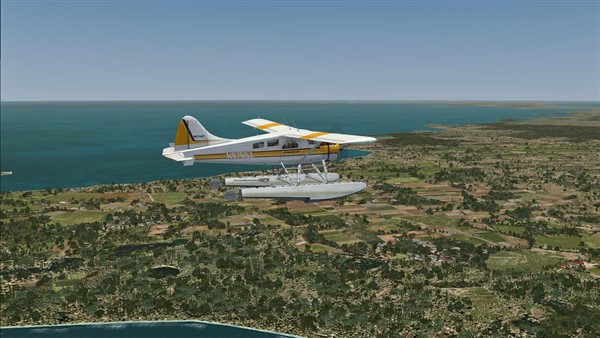
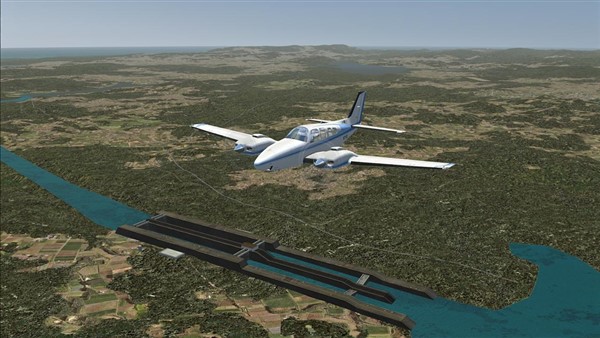
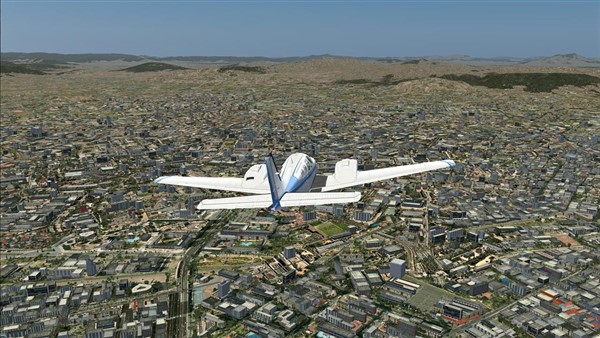
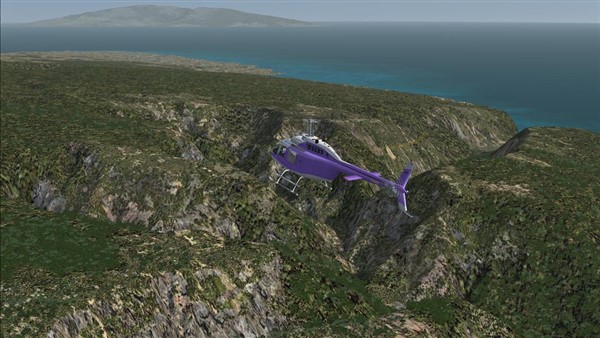
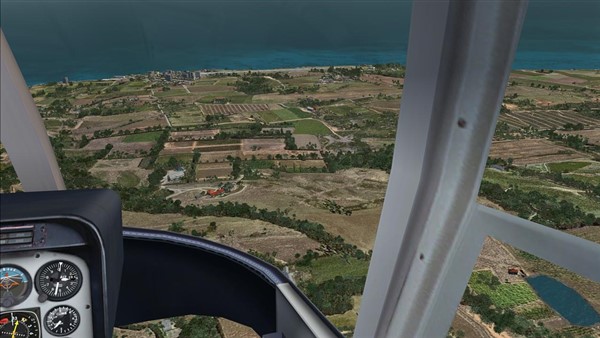
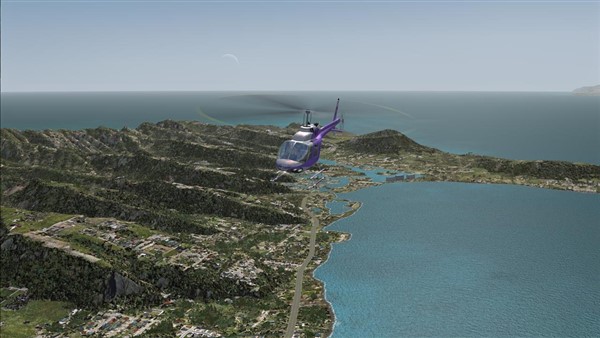
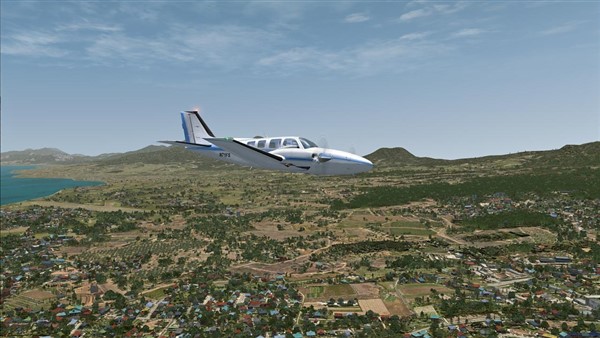
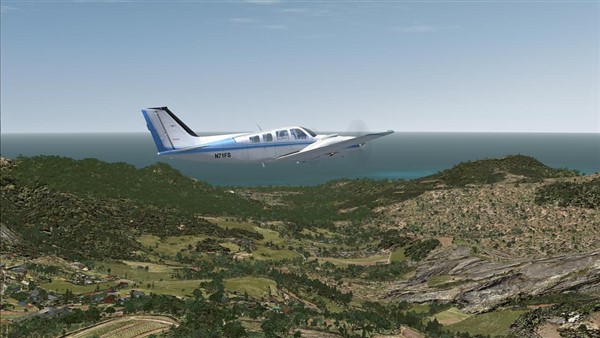
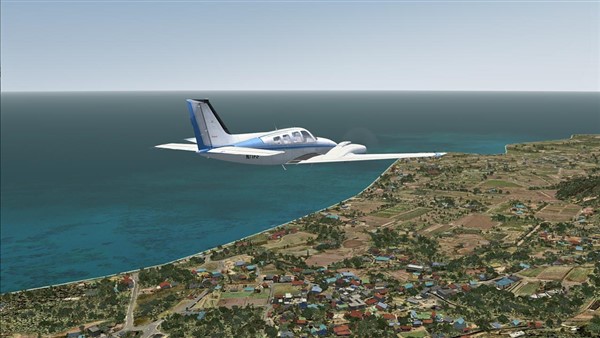
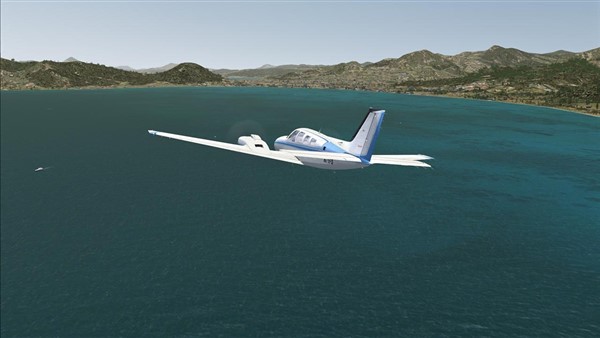
Ground Environment X Atlantic and Pacific Tropics builds on the award winning techniques of the GEX series and continues using our new approach in texture design, incorporating high level detail graphics in the default Flight Simulator X 1-meter texture resolution format. This delivers a hi-fidelity image without using excessive disk space or processor power. Our design allows a simulation pilot to enjoy clearly defined visuals from nearly ground level up to higher altitudes.

Ground Environment X brings all-new ground textures to FSX, and it boasts an incredible 1 m/pixel texture resolution, using native 1024x1024 pixel images, and includes all seasons, meticulously designed night textures and the latest techniques in autogen placement and alignment. All this while keeping maximum Flight Simulator performance in mind during development.

The easy-to-use interface will provide for easy installing the new textures, and is designed with Flight1's "keep-it-simple yet powerful" philosophy.

ITS ALL AUTOMATIC NOW!

  • Automated detection of GEX regions as they are added as well as UTX regional products.

  • Automated one click/browse move of backup directory with free space verification.

  • Refined update system which checks for updates of all products at once.

  • Automated install order of GEX regions as they are added or removed.

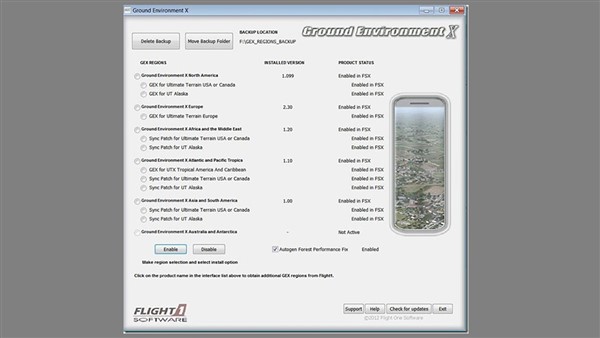
  • Single interface readout and control for all GEX region products.

  • NO INSTALL orders or specific install directories to deal with.

  • Install different GEX regions to any location on your system.

  • Direct product links from the interface to add new regions.

  • Real time region status interface readout.

  • Universal user manual for all products.


  • EXAMPLE OF THE GEX WORLD INTERFACE


    Product Features

    "GEX WORLD" single interface control for all GEX regions:

  • Coverage from the Philippines to Mexico/Central America, Caribbean, and Hawaiian Islands.

  • 30% discount for GEX Africa and the Middle East customers (unlimited time offer).

  • Enhanced textures to assist in rendering clear visuals as low as 250-500 ft.

  • High volume autogen layout with optimizations for maximum performance.

  • Update system checks for updates of all installed GEX products at once.

  • Automated install order of GEX regions as they are added and removed.

  • Syncronizes all GEX regions. No texture switching between regions.

  • Upgrades GEX North America to v1.099 when installed with GEX NA.

  • Full texture support for SceneryTech and Xclass landclass products.

  • Sync patches provided for UTX USA/Canada/UT Alaska customers.

  • 1m/pixel - 1024x1024 Textures - No excessive resolution to render.

  • Automate file backup system with merged region backup storage.

  • Comprehensive upgrade patch provided for UTX Tropics users.

  • Single interface readout and control for all GEX region products.

  • Textures derived from licensed Aerial and Satellite imagery.

  • 2D enhancements produce 3D depth in textures.

  • Direct product links from the interface to add new regions.

  • FSX tree render issue addressed in autogen annotation.

  • Automated one click/browse move of backup directory.

  • Includes all seasons and night lighting environment.

  • Realistic custom designed night lighting textures.

  • Real time region status interface readout.

  • Improved default FSX road night lighting.

  • Universal user manual for all products.

  • Highly detailed aerial views.

  • Natural seasonal blending.


  • NOTE: GEX Atlantic and Pacific Tropics specifically covers the following locations:

    Mexico, Central America, Cuba, Haiti, Puerto Rico, Jamaica, Bahamas, Guam, Hawaii, Philippenes, the Caribbean, parts of tropical Asia such as Indonesia and some stretches of northern South America.

    30% Discount For Previous GEX Africa and Middle East Users

    If you purchased the AFME download version, use this coupon:

    http://www.flight1.com/coupons/GEX-AMFE-APT-Download.zip

    If you purchased the AFME DVD version, use this coupon:

    http://www.flight1.com/coupons/GEX-AMFE-APT-DVD.zip

    Download Information

    Important: To get the full benefits from this product, you should be able to run FSX with your Meters per Pixel slider set between 1 Meter and 60 CM, and autogen set to Dense. You will still be able to enjoy Ground Environment X at lower settings however, but to get the same effects as seen in the preview pictures, the above is required.

    The downloads are very large (about 2.75GB total). Download the 2 files (.exe and .000) and place them in the same folder. You may want to use a download manager as these files are large. Again, it is very important the .EXE and .000 files below are downloaded to the same folder. After you download, run the EXE part and the purchase screen will appear.

    To download GEX Atlantic and Pacific Tropics:

    Download BOTH LINKS listed below and place both files in a folder together. Once downloaded run the EXE file.

    Windows security and Antivirus or Malware scanners are known to flag EXE files as dangerous. Please DISABLE security programs when downloading these files!

    These files are very large and we suggest the use of a download manager -or- use the Flight1 Downloader tool option below.

    Primary Server:

    http://cdn1.flight1.net/F1-GEX-APT.exe 1.36GB

    http://cdn1.flight1.net/F1-GEX-APT.000 1.39GB

    Flight1 Downloader Tool

    The link to the Flight1 Downloader Tool is http://www.flight1.com/F1Download.zip.

    To use the Flight1 Download Tool follow these simple instructions

    NOTE: If you already have the latest Flight1 Download Tool you can skip step 1

    1. Download the tool zip file posted above and unzip it on your hard drive.

    Run the F1DownloadSetup.exe that is in the zip file and install and run the tool.

    2. Copy the first product link from above into the top box of the tool. Click the button: Download from URL

    3. Download and Save the first file to a known location on your computer. Once the first file is finished, repeat step 2 for the 2nd product link.

    NOTE: The EXE and 000 (both files) must be downloaded to the same folder on your computer!

    Once the downloads are complete, run the EXE file. You can then purchase or reinstall as required.

    System Requirements / FS Version Compatibility


    Microsoft Flight Simulator X
    Windows XP, Vista, or Windows 7
    5 GB Hard Disk Space

    USD - $34.95


    Download Now!


    *Approx. Price GBP/Euro

    £23.61

    €27.52

    Screenshots

    Click an image to see an enlarged version.


    Copyright © 2009 Flight One Software, Inc. all rights reserved.

    How to Contact Us or read our Terms of Service.